A student finishes a QGIS exercise, saves the project and sends the file to the instructor. The analysis is complete—but the map is still difficult to share with a colleague, a client or the public.
That last step, taking a desktop GIS project onto the web, is increasingly part of practical GIS training. A review of publicly listed courses turns up examples around the world that include QGIS Cloud in their teaching: from publishing a first web map to working with cloud databases and web GIS.
Teach the whole workflow
QGIS Cloud gives instructors a way to introduce web publishing without making server administration the first hurdle. Students can prepare a project in QGIS Desktop, connect it to QGIS Cloud, upload data to a cloud database and publish a web map. They can then open the result in a browser and discuss what changes when a map is shared online.
The workflow connects familiar desktop skills with a practical outcome. Students see how project settings, layer visibility, symbology and data choices affect the published map. In a class on web GIS, QGIS Cloud can also provide a concrete starting point for conversations about databases, services and the wider publishing stack.
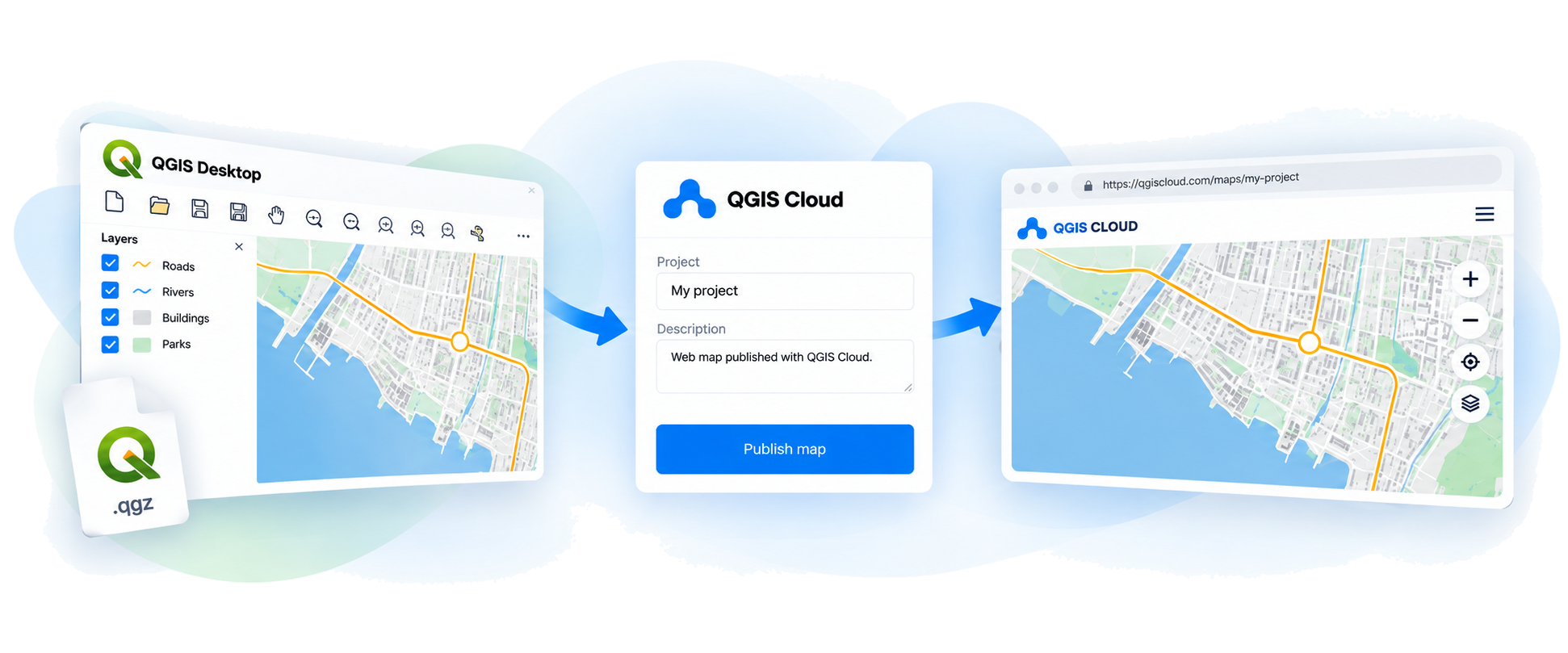
QGIS Cloud is already part of GIS education programmes around the world
QGIS Cloud has been part of GIS education programmes around the world for many years, helping learners bridge desktop mapping and web publishing. Here are just a few examples of training providers that include QGIS Cloud in their online GIS courses, from introductory publishing modules to more advanced training:
- MappingGIS includes QGIS Cloud publishing in its online QGIS training.
- cimdata covers QGIS Cloud in an advanced online QGIS course.
- SIGOTM lists QGIS Cloud among the tools in its online QGIS training.
- In Peru, CEO Academy has a module on configuring an account and publishing with QGIS Cloud.
- In Brazil, GISCursos includes QGIS Cloud in online GeoServer and web GIS training.
- ICIP includes publishing vector data with QGIS Cloud and PostGIS in a virtual intermediate QGIS course.
- TYC GIS includes a QGIS Cloud unit and a web viewer exercise in its QGIS Specialist course.
These are examples from public course listings, not a complete survey. Course schedules and syllabi can change, so prospective students should check each provider’s current programme.
Keep classroom data appropriate for the web
Publishing a map changes its audience. Maps made with QGIS Cloud Free accounts are public, so exercises should use open, sample or otherwise publishable data. Instructors can use the class to discuss data permissions and privacy as part of the mapping workflow.
QGIS Cloud’s Education option is intended to support teaching and training. The terms of service explain the distinction between educational use and operational or commercial use. Educators should review the current conditions and contact the QGIS Cloud team to discuss the setup that fits their course.
Give students a map they can share
A published map can make a classroom exercise feel more complete: students can open it in a browser, share it with classmates and explain how they built it. For instructors, it is a manageable way to add a real web-publishing step to an existing QGIS course.
If you teach QGIS and would like to include QGIS Cloud, tell us about your institution, course, teaching workflow and expected number of instructor accounts. The QGIS Cloud team can discuss whether Education access is a fit.
Course examples were checked against the providers’ public listings in October 2026. Please verify dates and syllabus details with each provider.